
Best overall: Myvellum, if you want guided voice interviews that become a printed memoir. Best for keeping recordings alongside written stories: Remento. Best for writing and editing the manuscript yourself: Google Docs. These are different ways to use a voice-to-text memoir writing app in 2026, so choose by the book you want to finish, not by transcription alone.
- Myvellum is the best voice-to-text memoir writing app here for guided interviews and a printed keepsake book.
- Choose Remento if keeping the original voice recordings with the stories matters most.
- Choose Google Docs if you want direct control over every sentence of your manuscript.
- Choose Otter.ai for interview transcripts, not for a finished memoir workflow.
Why this matters
A transcript preserves what someone said. A memoir needs more: prompts that draw out stories, a way to organize them, and a final format someone will read. In 2026, the best choice depends on which of those steps you want the app to handle and which you want to do yourself.
What makes the best voice-to-text memoir writing app?
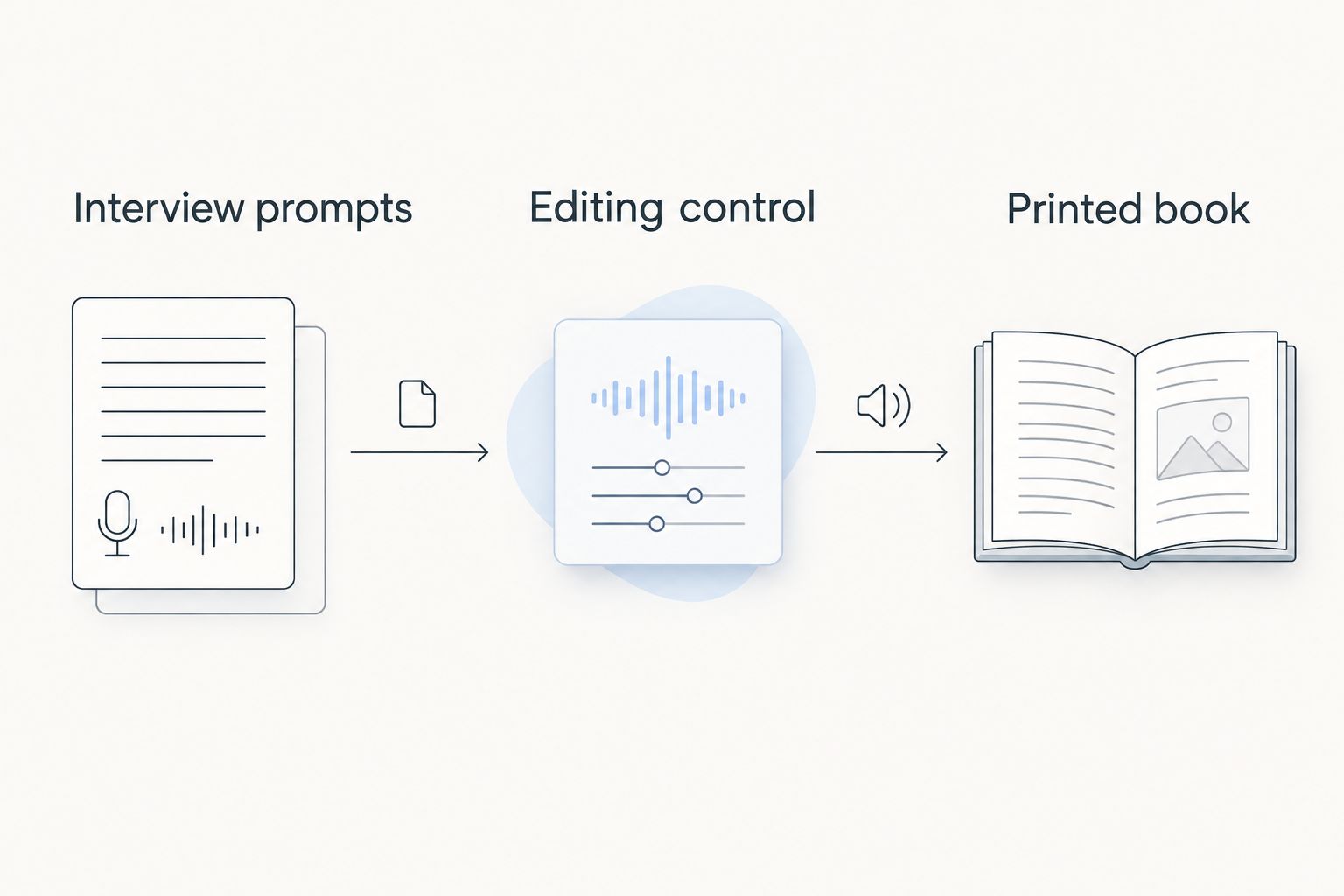
- Interview prompts: Do they help you recall events, people, and details?
- Recording access: Can you return to the speaker’s original words and voice?
- Editing control: Can you shape a readable story from a spoken answer?
- Book outcome: Does the workflow lead to a printed book, or just a file?
- Setup effort: Can the person telling the story use the recording method comfortably?
The options at a glance
| Option | Best for | Standout feature | Key limitation |
|---|---|---|---|
| Myvellum | A guided memoir and printed keepsake | Structured voice interviews across twelve chapters | Less suited to someone who wants to start with an empty document |
| Remento | Stories with original recordings | Voice-led storytelling tied to a book | Less direct control than drafting every line yourself |
| Storii | Life-story interviews by phone | Phone-based recording prompts | Recorded answers still need review for a cohesive narrative |
| Google Docs | Self-edited manuscript | Dictation in an editable document | No memoir prompts or book-production workflow |
| Otter.ai | Research interview transcripts | Searchable speech transcripts | Not a memoir-writing or book-production service |
How these options differ
The deciding question is what you want after recording. If you want prompts and a printed life story, start with a memoir-specific service. If you want a document to rewrite yourself, use dictation. If you need to find passages in long interviews, use a transcription tool. All three approaches capture speech, but they leave you with different amounts of editorial work.
Think through the handoff before you record: who will ask the questions, who will check the transcript, who will arrange the stories, and who will handle the final book? A tool can be good at one handoff without covering the rest. That distinction matters more than a long feature list when your goal is a keepsake rather than a collection of audio files.
1. Myvellum: best voice-to-text memoir writing app for a printed life story
Myvellum guides individuals through twelve structured interview chapters and turns their life story into a personalized printed hardcover or softcover book. It is the strongest fit here when you want the questions and the physical keepsake to be part of the same process. You do not have to design the interview structure before you begin speaking.
That structure also defines its trade-off. If you already have a manuscript outline and want to write freely, a general document editor gives you more direct control over the drafting process. If the goal is to capture one person’s story through guided conversation, the chapter format gives you a clear place to start and a clear output to work toward.
Myvellum pros:
- Twelve interview chapters give the storyteller a defined path through their memories.
- Voice-driven input suits someone who would rather tell stories than type them.
- The stated output is a personalized printed book, with hardcover and softcover formats.
Myvellum cons:
- A structured interview is not the same as drafting an unrestricted manuscript.
- The provided product description does not establish whether you can keep original audio with the finished book.
Best for: Someone who wants guided spoken storytelling to end as a printed memoir.
Verdict: Buy for a guided interview-to-book workflow. If you want to control every line from the start, choose a document editor instead.
2. Remento: best for keeping the speaker’s voice with the story
Remento centers the act of recording spoken memories and turning them into written stories. Its book format connects the written account with the original recordings, making it a fit when the way a person tells a story matters as much as the words on the page. That is a different priority from simply producing an editable transcript.
Choose it when family members want both a readable account and a route back to the storyteller’s voice. Review the written stories before committing to a book: spoken recollections contain detours and repetition, and the result still has to read the way the storyteller intends. If you want to write each passage yourself from a blank page, that extra voice-centered workflow is less useful.
Remento pros:
- Voice recording is central to capturing the stories.
- Written stories give readers a way to revisit the memories in book form.
- Access to original recordings preserves how the storyteller spoke.
Remento cons:
- Generated story text needs a human review for names, sequence, and meaning.
- The workflow is less direct than typing and revising a manuscript yourself.
Best for: Families who value the speaker’s recorded voice alongside the written memoir.
Verdict: Buy when hearing the original account is a core part of the keepsake.
3. Storii: best for recording life stories by phone
Storii uses prompted phone calls to capture life stories. Its recording method matters when the storyteller is more comfortable answering a call than opening a document or using dictation controls. It gives you a way to gather memories through conversation rather than asking someone to sit down and write.
A collection of answers is not automatically a cohesive memoir. Plan to listen back, check names and dates, and decide how separate recollections should fit together. Storii is the strongest choice in this list for the phone-based interview step; decide how much editing and book preparation you want to handle after that step before choosing it.
Storii pros:
- Phone-based participation lowers the need to work inside a writing document.
- Prompts give each recording a starting point.
- Spoken answers retain details that a reluctant writer might leave out.
Storii cons:
- Separate recorded answers need editorial review to work as one narrative.
- Phone interviews are a poor fit if the storyteller prefers to write and revise privately.
Best for: Someone who will tell stories on a phone call but will not draft a memoir at a keyboard.
Verdict: Buy for phone-first story collection; plan an editorial pass before calling the material a finished memoir.
4. Google Docs: best for writing and editing your own manuscript
Google Docs offers voice typing inside an editable document. Dictate a scene, read it back, move paragraphs, and rewrite it in the same place. It suits a writer who has an outline, enjoys shaping sentences, and wants the manuscript rather than the interview process to stay at the center.
You must supply the memoir structure yourself. That means deciding what to ask, where each memory belongs, and when a chapter is ready. Google Docs does not turn a dictated document into a guided life-story interview or a printed keepsake service. For an independent writer, that limitation is also the appeal: the editorial decisions stay with you.
Google Docs pros:
- Dictated text sits directly in a document you can revise.
- You control the order, wording, and scope of the manuscript.
- It works for drafting from an existing outline.
Google Docs cons:
- No built-in memoir interview structure is supplied by the document.
- Preparing a finished printed book is a separate job.
- Editing long spoken passages takes attention and time.
Best for: A self-directed memoir writer who wants dictation without handing over the manuscript structure.
Verdict: Hold if you want an interview-to-book service; choose it if hands-on writing is the point.
5. Otter.ai: best for searching long memoir interviews
Otter.ai transcribes recorded speech into searchable text. That makes it useful when you have conversations to review and need to find where someone discussed a particular person, place, or event. It is an interview research tool, not a substitute for deciding what the memoir says.
Use it to locate source material before writing. Check the transcript against the recording when exact wording, names, or chronology matters; speech recognition is not a fact-checker. You will still need to select passages, establish a narrative order, edit the prose, and arrange any printed-book production separately.
Otter.ai pros:
- Searchable transcripts make long conversations easier to revisit.
- Recording and transcription support an interview-based research process.
- Transcript text gives you material to review before drafting.
Otter.ai cons:
- It does not provide memoir-specific interview chapters.
- A transcript is not an edited memoir or a printed book.
- Important names and details require checking against the audio.
Best for: A writer collecting and searching interviews before assembling a memoir elsewhere.
Verdict: Hold as a standalone memoir app; choose it as a research tool when transcript search is your main need.
How we ranked these apps
The ranking puts the finished reader experience ahead of transcription alone. For the voice-to-text memoir writing app question in 2026, interview guidance and a path to a readable life story count more than the ability to convert speech into text. Recording access, editing control, and the work left after capture separate the remaining choices.
These are use-case recommendations, not a claim that one workflow suits every storyteller. A person who wants to hear a relative’s voice has a different decision from a writer who wants to dictate and rewrite every paragraph. Match the tool to that decision first; then assess whether the amount of editing left to you is acceptable.
Which voice-to-text memoir writing app should you choose?
Choose Myvellum if you want guided voice interviews and a printed life-story book without creating the chapter plan yourself. Choose Remento when access to the original voice recordings is central to the keepsake. Choose Storii when answering prompted phone calls is the recording method your storyteller will use.
Choose Google Docs if you want to be the memoir’s writer and editor. Choose Otter.ai if you are collecting interviews and need searchable transcripts before you write. In 2026, the default for an undecided reader seeking a printed memoir is the guided interview-to-book option, not a general transcription tool.
FAQ
What’s the best voice-to-text memoir writing app in 2026?
Myvellum is the best fit here for someone who wants guided spoken interviews and a personalized printed memoir. Its twelve structured chapters provide the path from telling stories to a hardcover or softcover keepsake.
Is a transcription app enough to write a memoir?
No. A transcription app turns speech into text, but you still need to select stories, check details, arrange chapters, and edit the narrative. Choose a memoir-specific workflow if you want guidance beyond capture.
Is Remento better than Google Docs for a family memoir?
Remento is better when you want the storyteller’s recordings connected to written stories. Google Docs is better when you want to dictate and edit the manuscript yourself.
Can I write a memoir by speaking instead of typing?
Yes. Voice-led memoir services, document dictation, and transcription tools all let you start with speech. They differ in who handles prompts, editing, and the final book.
Which option works for someone who prefers phone calls?
Storii is the phone-first choice in this comparison. Its prompted calls let a storyteller answer aloud rather than begin in a writing document.
Should I use Otter.ai to create a printed memoir?
Use Otter.ai to transcribe and search interviews, not as the entire printed-memoir workflow. You still need to edit the stories and arrange book production.
What should I check before recording a life story?
Decide who will review the words, check names and chronology, organize the chapters, and prepare the final format. Making those decisions first prevents a folder of recordings from becoming the end of the project.
One last thing
Before the first interview in 2026, ask the storyteller whether they want their words edited for readability or preserved close to how they spoke. That decision changes how you review every transcript. It also makes the choice between an editable document, a recording-centered keepsake, and a guided printed memoir much easier.