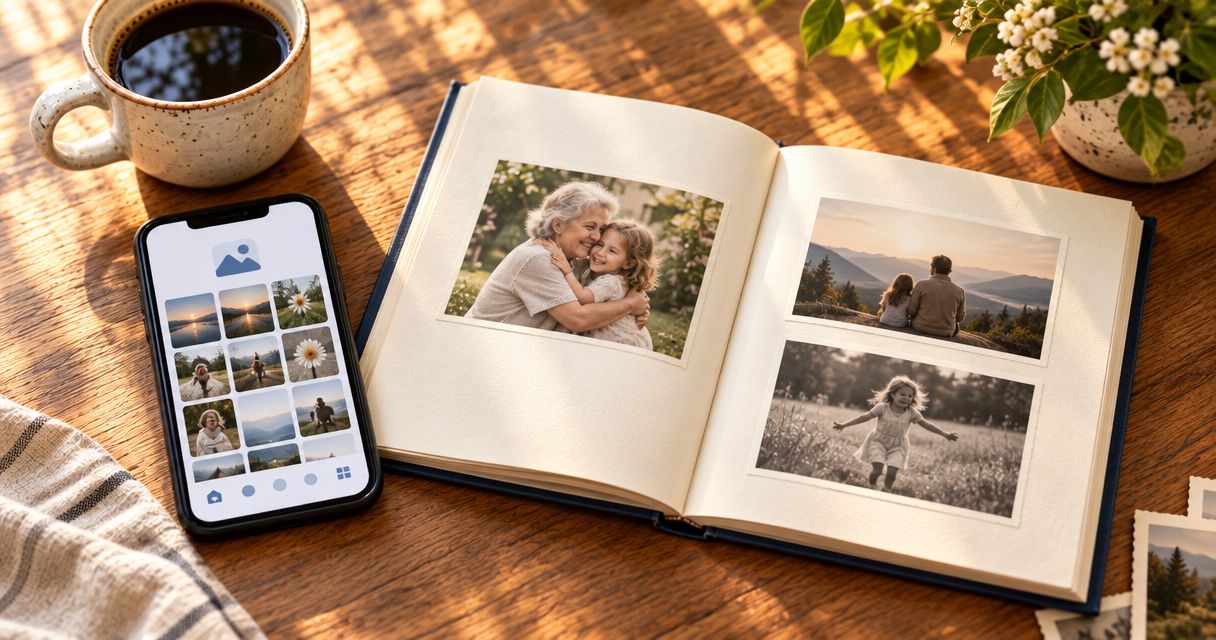
You can add photos to a printed memoir after ordering only if the print service accepts a revised file before production; once pages are printed, adding photographs inside those pages requires another printing. Editing your memoir draft does not, by itself, change an existing book order. Ask whether your specific order can still be changed before uploading photographs or approving another version.
- To add photos to printed memoir after ordering, confirm whether the printer still accepts changes to your order.
- An updated memoir draft does not automatically update a submitted print file.
- Myvellum suits people who want voice-guided memoir writing and a printed family keepsake.
- If pages are already printed, preserve late photographs separately or prepare a revised edition.
Why this matters
A photograph can explain something your words leave open: which house you mean, who stood beside you, or what your first workplace looked like. But collecting that photograph and putting it into a book already ordered are separate tasks. The deciding issue is the production status of the book, not simply whether you can still edit your story.
At myvellum.vercel.app, Myvellum provides voice-driven memoir writing through twelve structured interview chapters and personalized hardcover or softcover printing. Starting a free memoir and ordering a printed book are separate steps; treat photo preparation as part of getting your manuscript ready for the second step.
For a memoir you order in 2026, finish your image review before submitting the book whenever possible. If you have already ordered, use the process below instead of assuming an account edit will reach the printer.
Can I add my own photos after ordering a printed memoir?
Only an accepted revision to the file assigned to your order can put new photographs into that printing. A saved upload, an edited chapter, and a replacement production file are not interchangeable. Confirm which version the printer will actually use.
| Order situation | What to ask or do | Best for | Main limitation |
|---|---|---|---|
| Order submitted; production status unconfirmed | Ask whether the order can accept a revised file | Trying to include photographs in the current printing | Submission alone does not establish whether changes remain possible |
| A revised file is accepted | Check the replacement proof and confirm it belongs to the order | Including photographs within the memoir pages | Added images can change page flow and captions |
| Pages have already been printed | Ask about a separate revised printing | Producing a new edition with integrated photographs | The existing printed pages cannot update |
| You want to keep the existing book | Prepare a separate photo companion or loose insert | Preserving late discoveries alongside the memoir | The photographs remain separate from the printed narrative |
These are decision paths, not promises about a particular provider's editing policy. For your 2026 order, rely on confirmation about that order rather than a general description of how the memoir editor works.
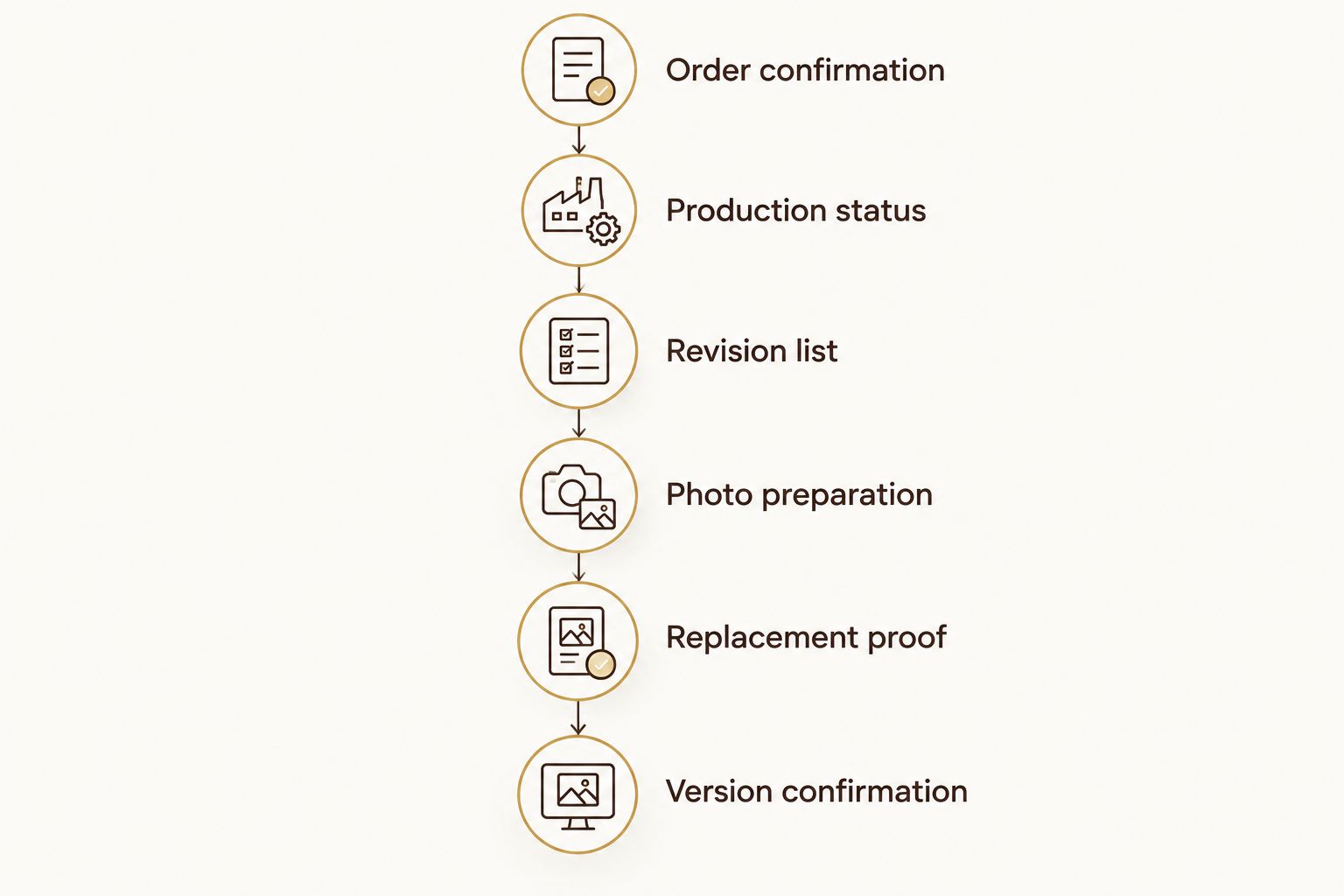
1. Find the order confirmation
Locate your order reference, the date you submitted it, and any confirmation that identifies the book version. Keep these details together before contacting the service. They distinguish the book you purchased from a draft you are still changing.
If you ordered multiple copies, ask whether the answer applies to the entire order. Do not assume that a change accepted for a future printing also applies to copies already in production.
2. Ask whether production can still accept changes
Ask a direct question: can the photographs be included in the existing order, or would they require a separate printing? Also ask whether work on the current file can be paused while you prepare the images. A request to pause is not confirmation that production has stopped.
Keep the response with your order details. An explicit answer about the current order is more useful than permission to continue editing your online memoir.
3. Describe the revision before rebuilding the book
Explain whether you want to add photographs, replace existing images, or change captions. Specify the relevant chapter titles and the intended position of each image. A clear revision list reduces ambiguity about what you want changed.
Avoid sending a folder with no instructions. A photograph of your childhood home belongs with a particular memory, and the person handling your files cannot infer that connection from the image alone.
4. Prepare the photographs and captions
Use the original digital image or a scan of the original photograph when possible. Keep an untouched copy, then prepare the version intended for the book. Check orientation, cropping, faces, and any details near the edges.
Our guide to adding family photos to your printed life story book covers the broader preparation task. For an order already submitted, finish this preparation only after establishing whether the current printing can accept it.
5. Review the replacement proof
If the service provides a revised proof, inspect the whole affected chapter, not just the photograph. Look for displaced text, captions separated from images, awkward page breaks, and changes to the contents page where applicable.
Check names against the photographs themselves. A technically clear picture with the wrong relative identified creates a different problem from a blurry image, but both deserve correction before approval.
6. Confirm the version assigned to the order
Ask for confirmation that the accepted revision replaces the earlier production file. Keep a copy of the approved proof and the message identifying it. Your final checkpoint is the version being printed, not the version visible in your editor.
For your records, label your saved approval clearly, such as Approved memoir proof, 2026. That label is for your own files; it does not replace the service's confirmation.
What should I check before sending late photographs?
Choose images that help your family understand the story rather than filling space. A photograph earns its place when it identifies someone, shows a meaningful setting, or adds information the chapter needs. You do not need an image for every memory.
For each photograph, prepare:
- Placement: identify the chapter and the passage it accompanies.
- Identity: name the people you can confidently recognize.
- Context: explain the occasion or location when known.
- Caption: distinguish confirmed details from uncertain recollections.
- Permission: consider whether living people pictured are comfortable with the intended sharing.
- Original: retain the source file separately from the edited copy.
Do not turn an uncertain memory into a precise caption. If you remember the place but not the date, identify the place and leave the date out. Your family benefits more from an honest gap than an invented detail.
How clear does a photograph need to be?
A common print-preparation target is 300 pixels per inch at the intended printed size, although the printer's own requirements take precedence. At that resolution, an image printed 4 inches wide needs 1,200 pixels across. This is general image-preparation guidance, not a Myvellum file specification.
Increasing the pixel count does not recover detail missing from the original. Check the image at its intended size, especially faces and small writing. A smaller placement can be more appropriate than enlarging a soft scan across a page.
For a book prepared in 2026, keep the source image and the print-ready copy in separate folders. That simple distinction helps you avoid overwriting the best version while cropping or adjusting the photograph.
Why adding photos after ordering varies
The answer depends on the book's actual production state and the requested revision. Use these factors to frame your questions, rather than assuming every memoir service follows the same process:
- Production stage: a file awaiting production presents a different question from pages already printed.
- Revision policy: ask whether the service accepts changes after order submission and how it records approval.
- Image placement: adding a photograph within a chapter changes more than replacing an image in an existing space.
- Page layout: photographs and captions take room, so check the surrounding text and page breaks.
- File suitability: an image must meet the printer's requirements for its intended placement.
- Order scope: confirm which copies, editions, or separate orders an accepted revision covers.
Ask about the order first and the image upload second. Upload instructions alone do not answer whether the photographs will appear in the book you have already ordered.
Can I update my memoir draft without changing my book order?
Treat the memoir draft and the submitted print file as separate until the service confirms otherwise. Continuing to write your life story is useful, but it does not establish that an earlier order will include those changes. Ask how revisions move from the editor into production.
This distinction also helps when planning a future edition. Keep new photographs, corrected names, and additional memories together instead of mixing them into an untracked set of changes.
What if my memoir has already been printed?
Already-printed pages cannot receive a digital update. Choose between preparing a revised edition and keeping the new photographs separately with your existing book. Neither choice makes the original memoir less meaningful.
A revised edition is best for photographs that need to appear beside specific passages. Its advantage is a single reading experience; its drawback is that it requires another printing rather than changing the existing copy. Confirm the submission process before treating an updated manuscript as ready to order.
A separate photo companion is best for preserving the book you already have. It lets you keep late discoveries alongside the memoir, but readers must move between the book and the companion. Label photographs with chapter titles so the connection remains clear.
If you keep loose photographs with the book, use photo-safe storage materials and avoid attaching irreplaceable originals directly to the pages. Preserve the originals separately and use copies for handling or sharing.
Should I wait for every family photograph before ordering?
Wait for photographs essential to understanding the memoir, not every photograph your family might eventually find. Decide which images the current edition needs and which can belong in a later collection. This gives your project a finish line without pretending your family archive is complete.
For a 2026 memoir, make a final image checklist before approving print. Mark each intended photograph as included, deliberately omitted, or reserved for a later edition. Review captions at the same time as the images, not as an afterthought.
Myvellum is best for people who want to tell their own life story through guided voice interviews and create a printed family keepsake. Start the free memoir to develop your memories; make the separate print decision after reviewing the manuscript and confirming how your photographs will be handled.
FAQ
Can I add photos to my printed memoir after I place the order?
You can include new photographs in the current printing only if the service accepts a revised production file before the relevant pages are printed. Ask about your specific order before changing the manuscript.
Does uploading a photo automatically update the memoir book I ordered?
Uploading a photograph does not establish that your existing print order has changed. Confirm which approved file is assigned to that order.
What should I ask before sending photos after ordering?
Ask whether the current order can accept changes and whether a revised proof will be provided. Also confirm how the replacement file will be assigned to the order.
Can I add photos if my memoir has already been printed?
You cannot digitally add photographs to pages that are already printed. Prepare a revised printing or keep the photographs in a separate companion to the existing book.
What resolution should my memoir photos have?
A common print-preparation target is 300 pixels per inch at the intended printed size. Follow the printer's stated requirements, and remember that enlarging a file does not restore missing detail.
Should I include dates when I am unsure when a photo was taken?
Do not present an uncertain date as a confirmed fact. Identify the people or place you know and leave unsupported details out of the caption.
Is starting a free memoir the same as ordering a printed book?
Starting a free memoir and ordering a printed book are separate steps. Develop your story first, then review the manuscript and photograph requirements before committing a version to print.
One last thing
Read each photograph's caption without looking at the surrounding chapter. If a family member could not identify why the image matters, add the missing context. The most useful late addition is not necessarily another picture; it can be the sentence that tells your family who is in it and why you kept it.