Instead of replaying old recordings and retyping the same memories, use an export, transcription, and chapter-review workflow to import voice memos into memoir app projects. For your own family keepsake at Myvellum, first check how existing material can enter the project; starting a free memoir and ordering a printed book are separate steps.
- To import voice memos into memoir app projects, preserve the audio, check import support, and verify the resulting text.
- Myvellum is best for people turning their own spoken memories into a personalized printed family memoir.
- Use direct audio import only when supported; otherwise prepare a transcript or retell the memory through guided interviews.
- Review names, chronology, and private details before moving from a memoir draft to a printed keepsake.
Why this matters
An old voice memo preserves more than an event. It captures the words you used before you started polishing the story for an audience. Keep that original recording even after you have a readable chapter.
Moving an audio file and creating a memoir chapter are different jobs. The first preserves the source; the second gives family readers enough context to understand it. A successful workflow handles both without treating an unreviewed transcript as finished prose.
Myvellum's memoir workflow uses twelve structured interview chapters and produces personalized hardcover or softcover keepsake books. For your 2026 project, treat existing recordings as source material for that life story—not as proof that an audio-upload feature exists.
Before you start
- Gather the recording and access to your project. You need the original audio, access to its recording app or storage location, and access to the memoir project where you intend to develop the story.
- Check the destination before preparing everything. Confirm whether your memoir app accepts audio files, pasted text, or another supported input. Check its current file requirements and how you can review material before ordering a book.
- Protect a separate copy. Work from a duplicate and retain the original. The non-obvious trap is assuming a voice-guided memoir app also accepts recordings made elsewhere; those are different capabilities.
Test 1 recording before moving an entire collection. Choose a short, clearly spoken memory with a name or place you can verify. That test reveals whether the route works without leaving you with a large batch of unchecked text.
Prepare your source recordings
Export and source archive
- Choose the source. Open the recording in its original app and play the beginning, middle, and end. Confirm that you have the complete memory rather than a similarly named recording or an unfinished take.
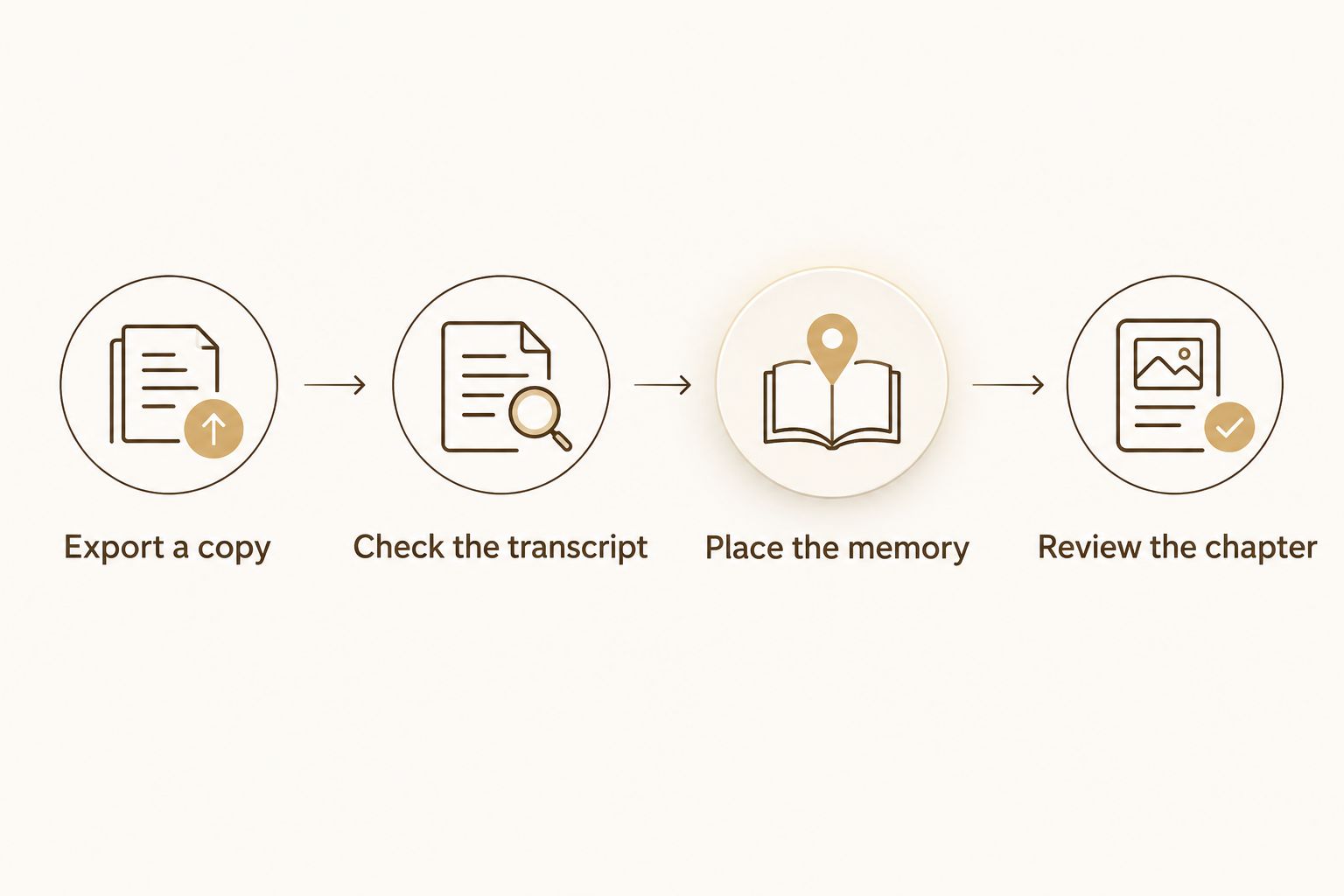
- Export a copy. On iPhone, open the recording in Voice Memos, open More, and select Share. To store a file copy, choose Save to Files, select a location, and tap Save. On another recorder, use its documented export or sharing instructions.
- Keep the original. Leave the source recording intact. Store the exported copy separately so editing, conversion, or a failed transfer does not become your only version of the memory.
- Add context. Give the working copy a descriptive name based on the memory, such as the first home you remember or the job that changed your direction. Note who is speaking and whether any dates are uncertain.
Expected result: You have a playable working file, an untouched original, and enough context to identify the memory without listening from the beginning.
Do not rename a file extension to make a recording appear compatible. Changing its name does not convert its audio format. If conversion is necessary, use a converter that actually creates the required format, then play the converted copy before continuing.
For a memoir started in 2026, keep the recording date separate from the date of the event. A story recorded today can describe childhood; the file's timestamp does not establish when the memory happened.
Choose the input route
Destination and transcription setup
- Confirm the accepted input. Check the destination app's current instructions for existing recordings. Look specifically for supported audio formats, text-entry options, and any stated upload limits. Use the controls actually provided rather than searching for an assumed import button.
- Select the route. Use direct audio import when the app explicitly supports it. Otherwise, create a transcript in a transcription service you have chosen, or use the recording as a prompt while telling the story again.
- Check privacy first. Before sending family recordings to a separate transcription service, read its current terms for storage, access, and deletion. Remove material you do not want that service to receive.
- Run the test. Process your chosen recording and compare the output with the source. Check whether the beginning and ending survived, whether speakers are distinguishable, and whether names need correction.
Expected result: You know which input route works and what needs correcting before you repeat it across your archive.
| Input route | Best for | Main advantage | Main limitation |
|---|---|---|---|
| Direct audio import, when supported | Moving existing recordings into the destination | Keeps the recording within the receiving workflow | Depends on the destination's actual file support and review controls |
| Transcript transfer, when supported | Reusing the wording of an existing memory | Gives you text to check against the recording | Requires transcription review and a supported way to add text |
| Guided retelling | Filling gaps or working without file import | Lets you explain the memory with fresh context | Creates a new telling rather than transferring the original recording |
Myvellum is best for people turning their own spoken memories into a personalized printed family memoir. Its structured interviews give the project a framework; do not treat that framework as confirmation of direct audio import or transcript pasting.
The distinction matters: an app can support spoken storytelling without supporting every external recording workflow. Choose your route from documented capabilities, not from the phrase “voice-driven.”
Build a readable chapter
Transcript review and chapter placement
- Check the transcript. Listen alongside the text. Correct personal names, place names, and words that change the meaning. Mark an unclear passage for review instead of supplying a detail you cannot remember.
- Find the story. Identify what happened, where it happened, who was involved, and why you still remember it. Remove repeated starts only when they add nothing; keep distinctive expressions that sound like you.
- Place the memory. Match the story to the relevant interview chapter or life period. If a recording covers unrelated events, separate those events in your working notes before adding them through the app's supported method.
- Review the chapter. Read the passage without playing the audio. Add the context a family reader needs, then compare the edited passage with the recording again to catch changes in meaning.
Expected result: The memory reads as a coherent part of your life story, while the original audio remains available for checking.
A transcript might say that you “went back there” without explaining where “there” was. A chapter needs that missing place. Add what you know; leave unresolved details unresolved rather than turning an uncertain memory into a confident statement.
The guide to turning phone voice recordings into memoir chapters expands this transition from spoken recollection to family-readable prose.
Keep the workflow visible in your notes. These stages help separate preserving your voice from editing your story:
Prepare the family keepsake
Draft review and print handoff
- Read for continuity. Check whether the chapter repeats another story or refers to an event you have not explained. Introduce people before relying on their names alone.
- Review sensitive details. Decide which health information, family disagreements, addresses, or other private material belongs in the version your family will receive. Keep private source notes separate from the intended manuscript.
- Check the print material. Use whatever review materials the service provides before ordering. Check spelling, chapter order, and any visible book details against your intended manuscript; ask about anything you cannot verify.
- Order separately. Starting a free memoir is the writing stage. Ordering a personalized hardcover or softcover book is a separate decision after you have reviewed the story and the current ordering details.
Expected result: You have a reviewed manuscript and a deliberate print decision, not simply a successful file transfer.
For your 2026 family edition, give the text a final read as a reader rather than its author. An unfamiliar nickname or unexplained move between towns can interrupt a story even when every transcribed word is correct.
Start your own family memoir
Begin a free memoir; review your story before deciding to order a printed keepsake.
Retell an old recording through guided interviews
Use guided retelling when direct import is not supported or when the original memo is too fragmentary to stand alone. Listen to the old recording first, then explain the memory in your own words through the memoir app's supported interview process.
- Keep the original nearby. Use it to check a phrase or recover a detail, not as something you must reproduce word for word.
- Answer the missing questions. Explain who was there, what preceded the event, and what changed afterward.
- Separate then from now. Distinguish what you felt during the event from what you understand about it today.
- Compare both tellings. Investigate contradictions before choosing wording for the manuscript.
The advantage is context: you can finish a thought that the original memo left unfinished. The limitation is fidelity: retelling does not transfer the original audio or guarantee the same wording.
If you revisit the memory in 2026, identify later reflections as later reflections. That keeps your present perspective from silently replacing what you remember feeling at the time.
Troubleshooting
The exported file will not open
First try playing the exported copy outside the memoir app. If it fails there too, export it again from the original recording app. If it plays elsewhere, compare its format with the destination's documented requirements before attempting conversion.
There is no audio-import control
Stop looking for an assumed button. Check whether the app documents external audio support; if it does not, use a supported text-entry route or guided retelling. Do not play a recording into a microphone and assume the resulting text will faithfully reproduce it.
The transcript gets family names wrong
Check each name against the recording and your own records. Correct repeated errors throughout the draft, including captions or chapter headings where applicable. If you cannot resolve a word, flag it in your working notes rather than inventing a replacement.
Several speakers become one narrator
Identify who said each passage before using it. A relative's recollection is not automatically your firsthand memory. Attribute it clearly in the manuscript or rewrite the passage to explain how you learned the story.
The same memory appears in several chapters
Choose its main home and remove unnecessary duplication. Keep a brief reference elsewhere only when it helps explain another event. Preserve repeated source recordings in the archive even when the manuscript uses just one account.
Customize your workflow
Once the test works, group recordings by life period or theme rather than processing them only in file-date order. A memo about your first job belongs with that experience even if you recorded it much later.
Maintain a simple source list: recording name, memory topic, intended chapter, and review status. Mark passages needing a name check or privacy decision so unfinished details do not disappear into an otherwise polished draft.
Keep 2 copies of irreplaceable source audio in separate locations. A finished book preserves the written story; keeping the recording preserves your voice. Retaining both serves different purposes.
FAQ
How do I import voice memos into a memoir app?
Export a copy of the recording, check the memoir app's supported inputs, and test one file before processing the rest. Use direct import only when documented; otherwise use a supported transcript route or guided retelling.
Can I upload old voice memos directly to Myvellum?
Confirm direct audio-upload support in Myvellum's current instructions before preparing your recordings. Voice-guided interviews and importing existing audio are different capabilities; use only the input methods the service documents.
How do I export an iPhone voice memo for my memoir?
Open the recording in Voice Memos, open More, and select Share. Choose Save to Files to keep a file copy, then verify that the exported recording plays before using it elsewhere.
What should I do if my memoir app does not accept audio files?
Use a transcript if the app supports adding text, or retell the memory through its supported interview process. Keep the original recording so you can verify wording and details during editing.
Should I correct my transcript before adding it to a chapter?
Yes—check names, places, speaker identity, and meaning against the recording first. Then edit for readability without replacing uncertain memories with invented details.
Can I combine several recordings into one memoir chapter?
Yes—group recordings around a shared event, theme, or life period before assembling the chapter. Remove repeated passages and make changes in time or speaker clear to the reader.
Does starting a free memoir mean I have ordered a printed book?
No—starting a free memoir and ordering a printed book are separate steps. Finish reviewing your story before making the print decision and checking the current ordering details.
One last thing
Before polishing every sentence, save one expression that sounds unmistakably like you. A family saying, an unusual description, or the way you introduce a favorite memory can belong in the finished chapter without being grammatically perfect.
Correct the transcription, not your personality. Your family keepsake should explain the story clearly and still sound like the person who lived it.